
远程连接
SafeMesh 远程控制功能用户手册
本文档为 SafeMesh 系统远程控制功能的用户手册
版本 :V1.0
上映时间 :2025 年 11 月 24 日
出版社 :EFFORT
1. 功能描述
- 通过远程控制功能,你可以访问本地部署的远程互联网软件系统。
- 在办公室,可以通过浏览器输入特定域名访问不同的地区系统软件。
- 远程访问网页的内容与本地部署网页相同,数据也会被共享。
2. 使用需求
- :警告:系统版本号 >= 1.0.20 。
- :警告:SafeMesh 系统已本地安装。
- :警告:远程控制功能只能在系统部署的局域网内启用。
- :警告:安装 SafeMesh 的局域网(LAN)必须具备访问互联网的能力,远程控制功能才能正常工作。
- :警告:一旦远程关闭,除非在系统部署的局域网内启用远程控制功能,否则无法进行远程控制。
3. 使用步骤
3.1 配置页面
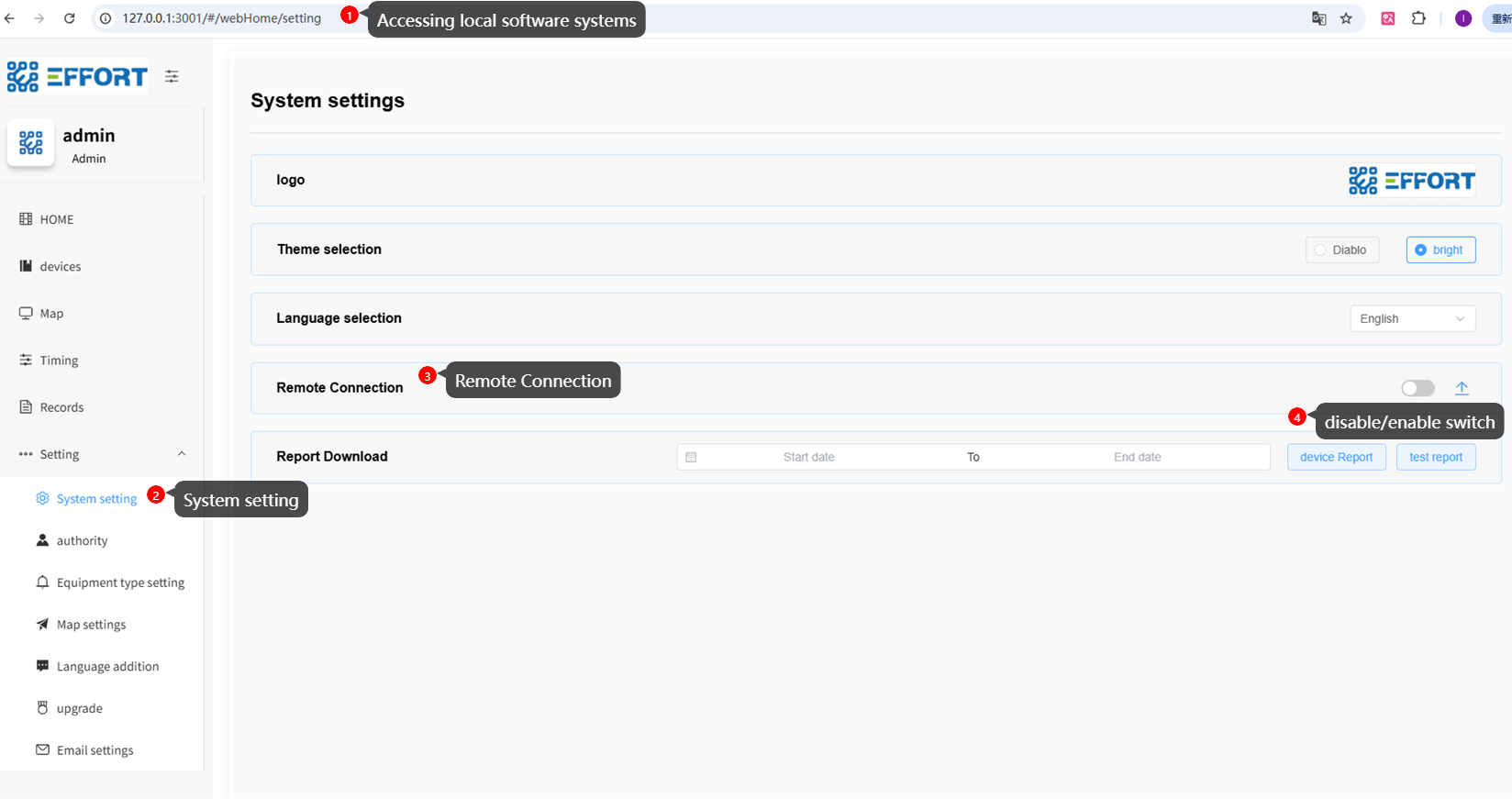
配置路径
打开本地系统,进入系统配置页面。
路径:设置 -> 系统设置 -> 远程连接
3.2 首次使用功能
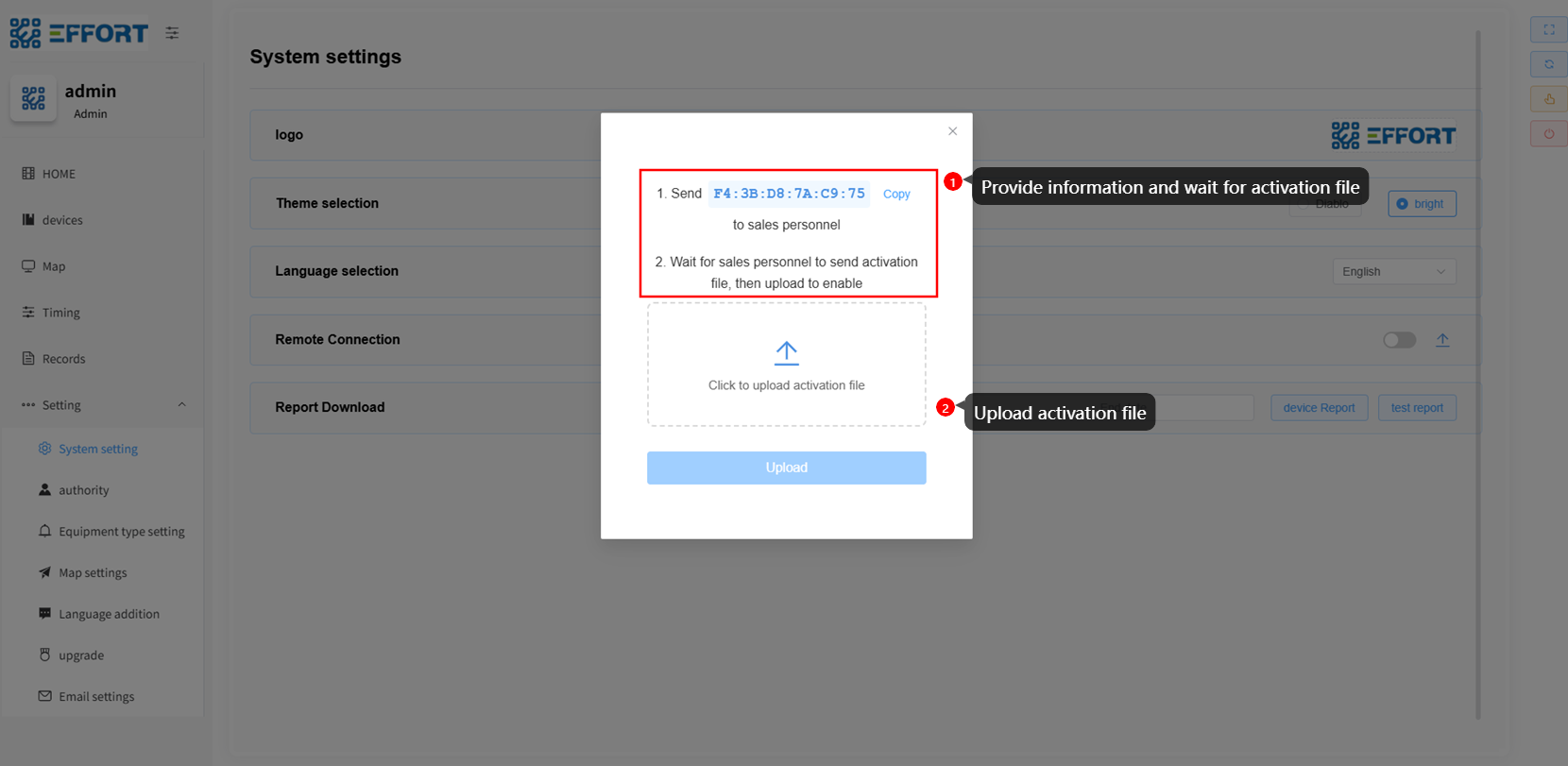
首次使用
当遥控功能首次启用时,会弹出提示,因为本地主机上没有激活文件。
你需要按照提示将本地密钥(以及你想要的域名)发送给系统提供商。当系统供应商准备激活文件并发送给您时,您可以上传激活文件。
3.3 选择激活文件
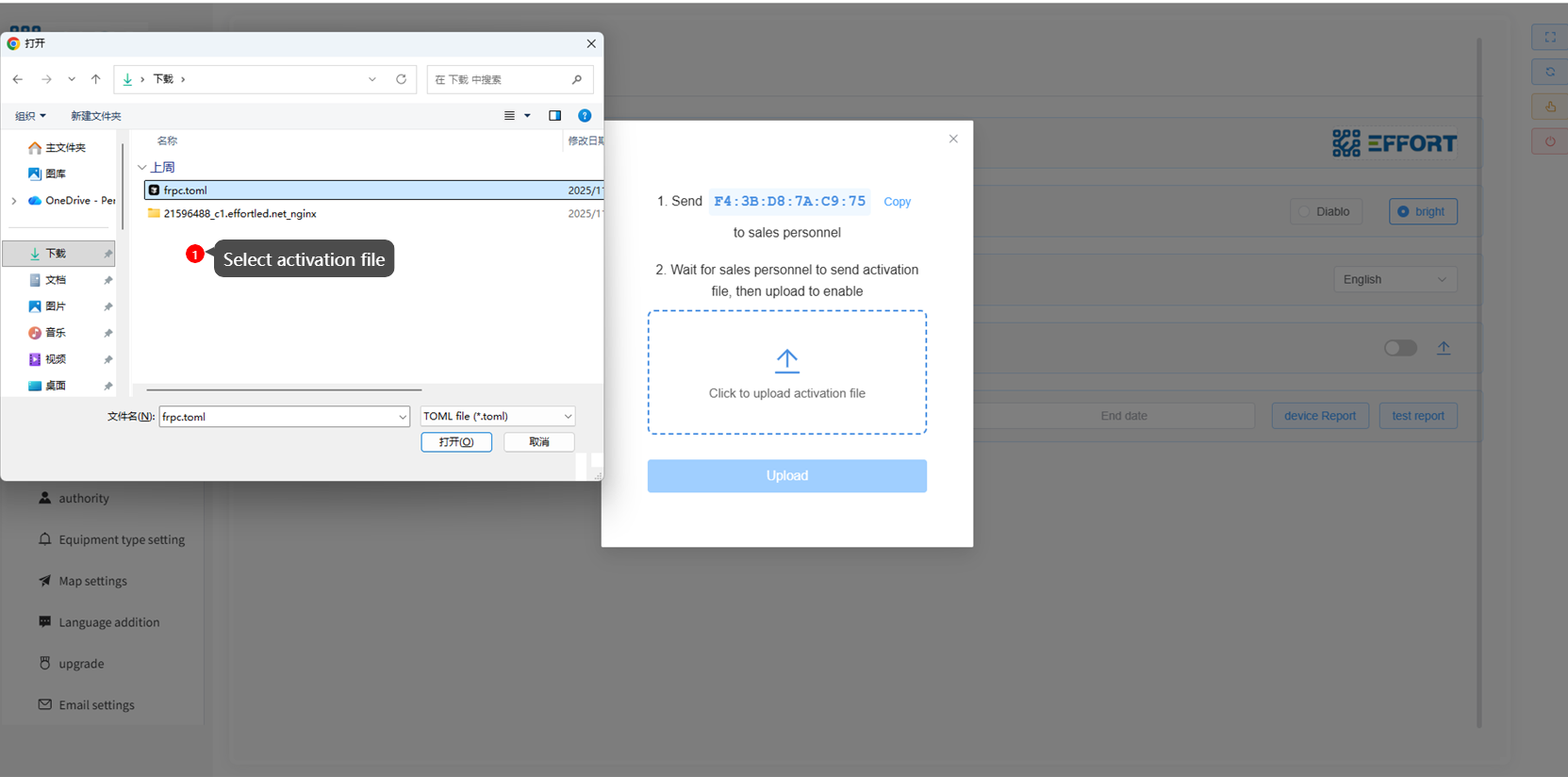
选择激活文件
收到激活文件后,点击“点击上传激活文件”,选择激活文件。
3.4 上传文件
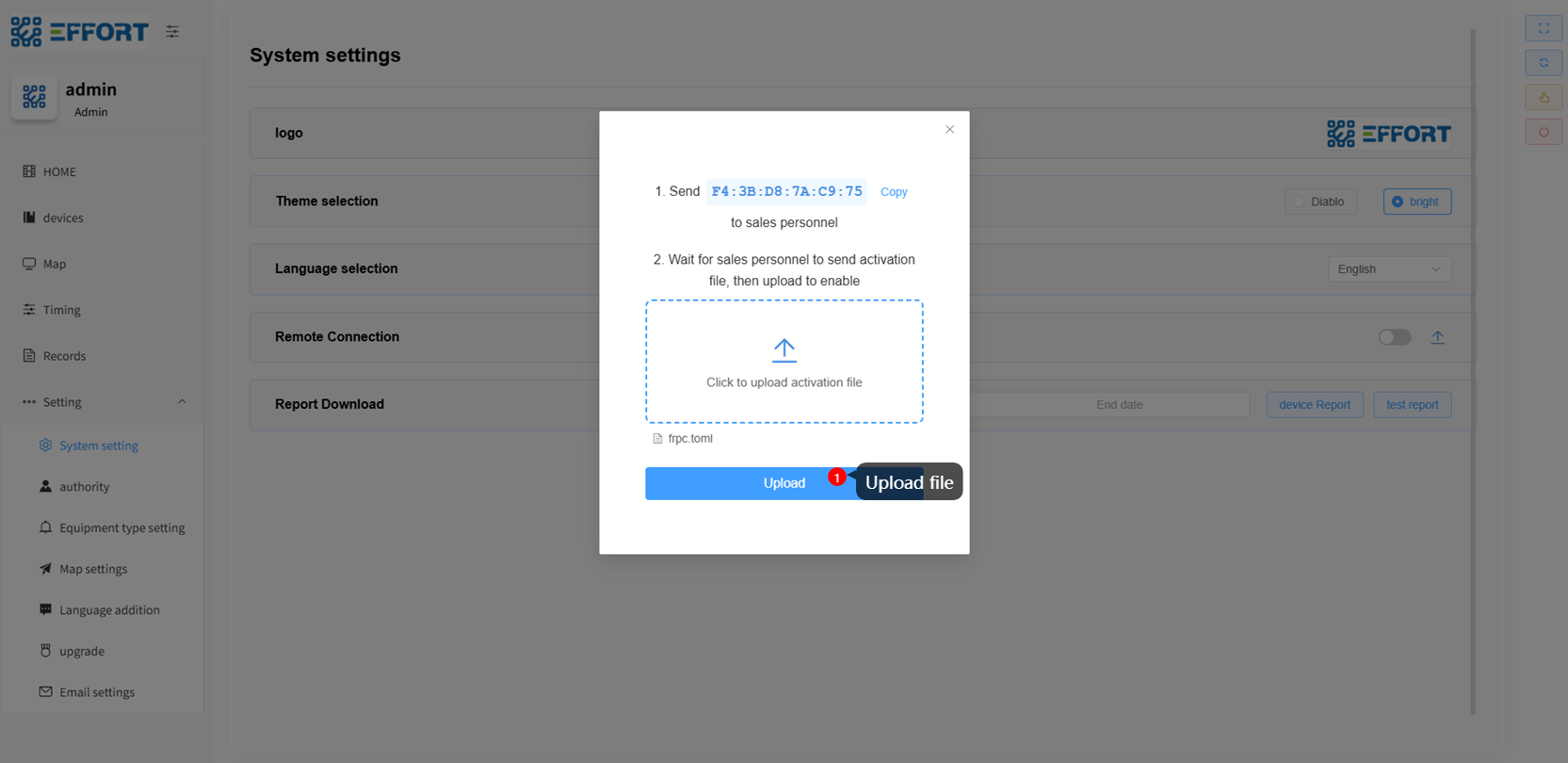
上传文件
点击“上传”以上传激活文件。
3.5 上传激活文件后的配置页面
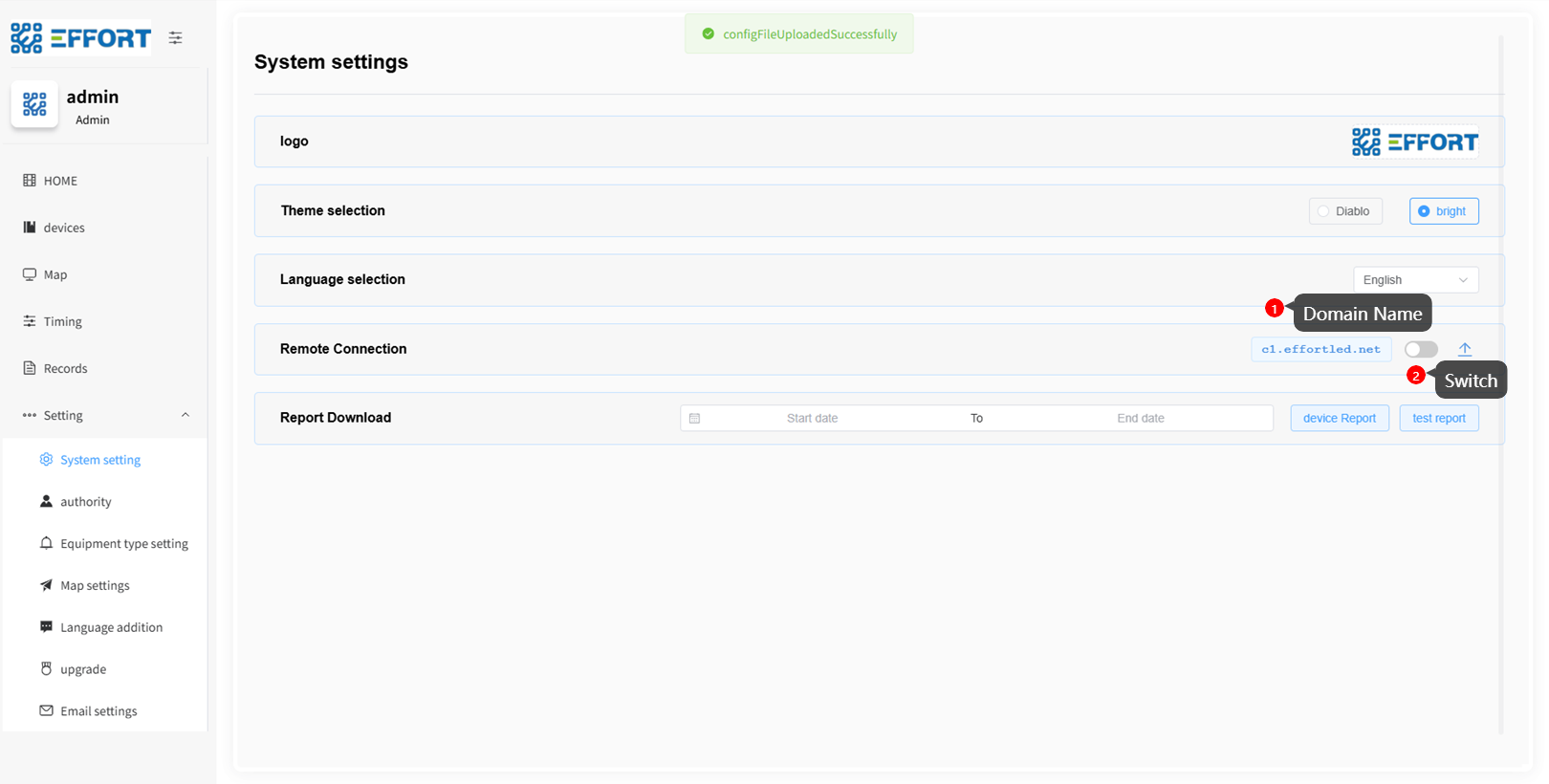
配置后
你可以在页面上看到标记为1的远程访问域名。标有2的按钮可以用来开关该功能。
3.6 开放函数
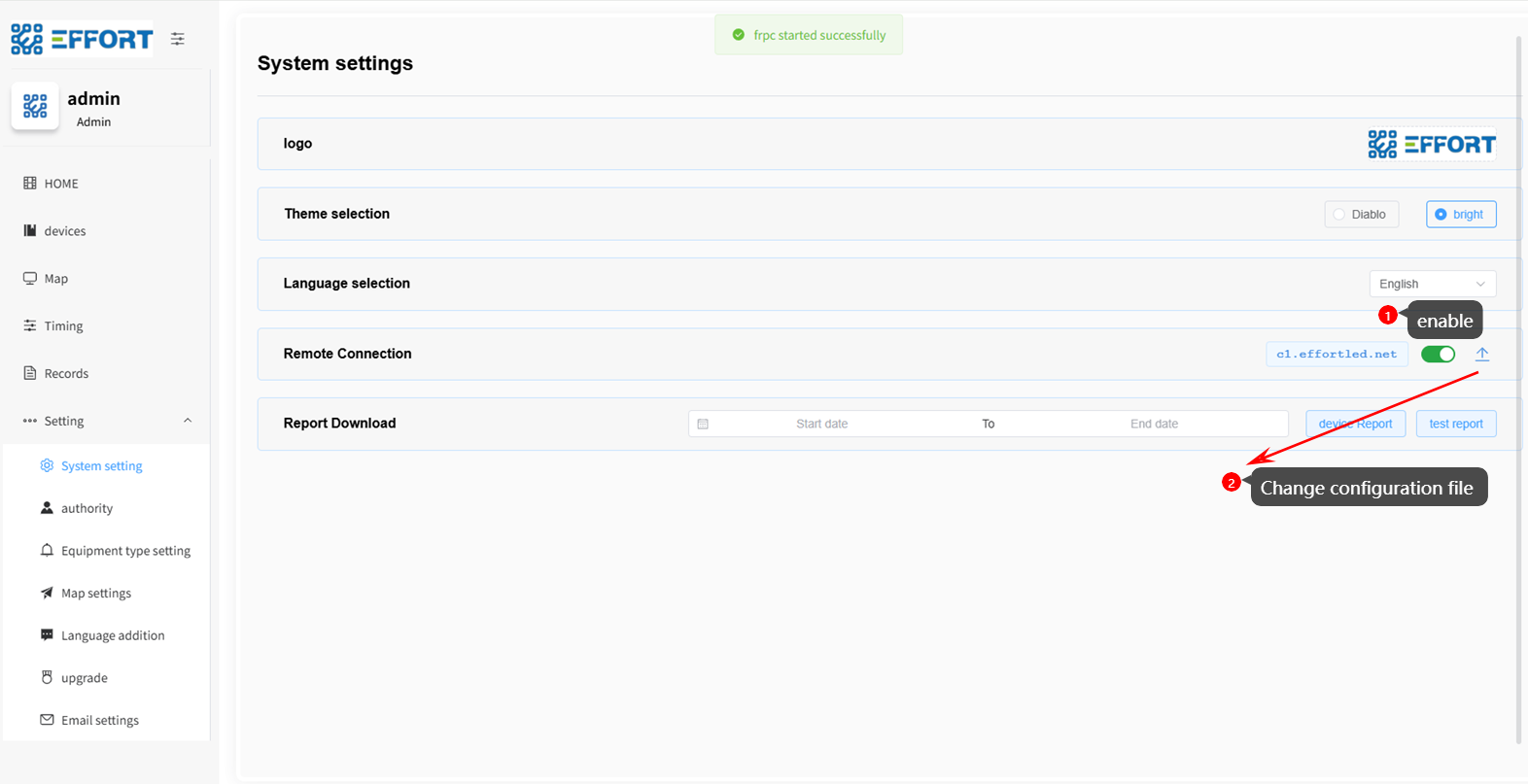
启用函数
点击按钮激活该功能。你可以点击返回按钮来更改配置。
3.7 通过域名进行远程访问
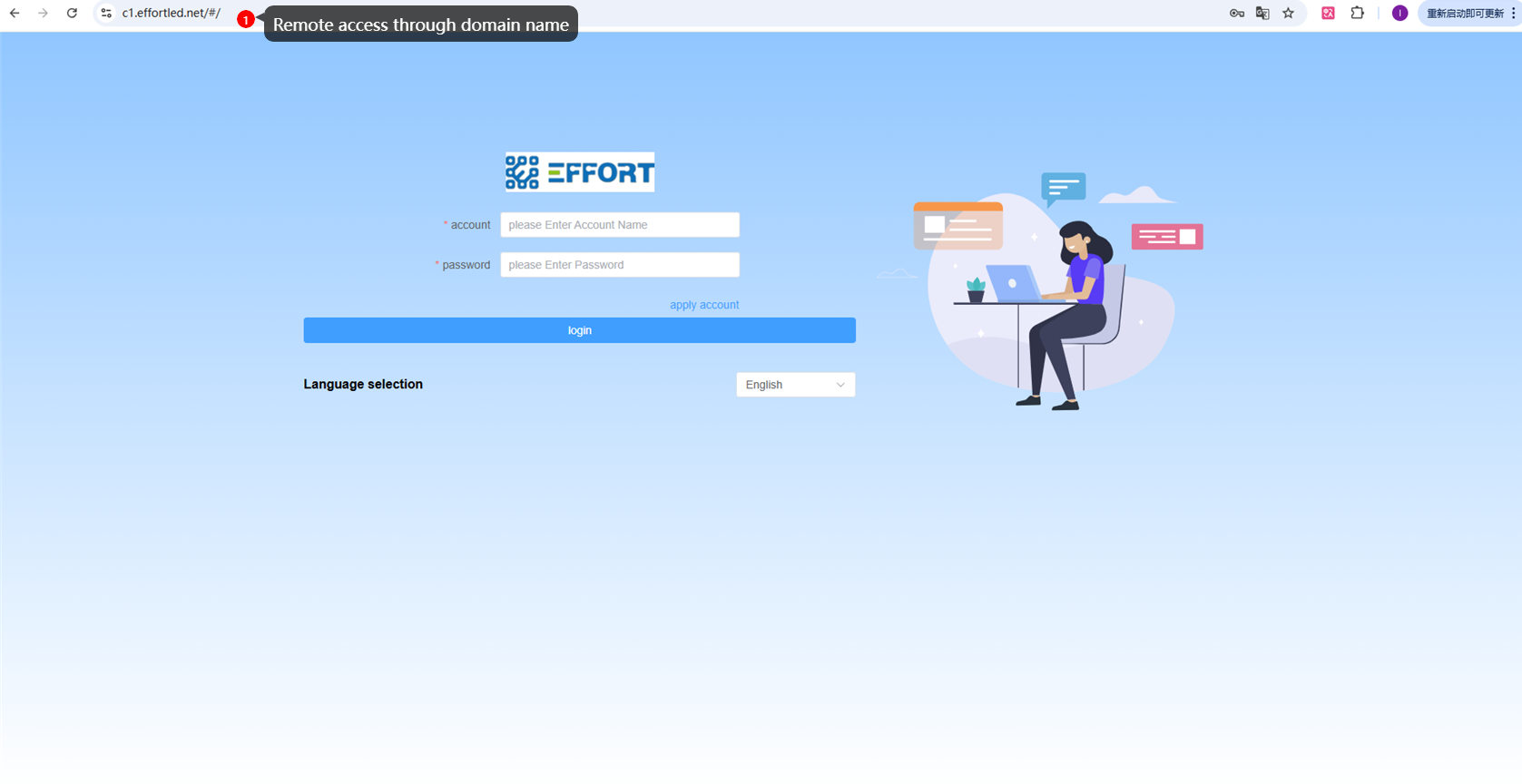
远程访问
通过在浏览器中输入域名,可以进行远程访问。
4 问答
Q:No activation file
A:Please communicate with the seller of your system and provide relevant information to obtain the activation file later.

Q:I have uploaded the file but still cannot access it
A:Please check the following steps:
    1. Ensure that after uploading the activation file, you have clicked the switch button on the configuration page to enable the remote function.
    2. Check if the local network where SafeMesh is installed has normal Internet access.
    3. Check if the local firewall or network security policies are blocking SafeMesh's outbound connections.
5 技术支持
- 技术支持邮件:technical@effortled.com
No comments to display
No comments to display